Quick Answer: Choosing between a traditional PDF proposal and an interactive web deck depends on your sales volume and contract size. Static PDFs give you absolute layout control for formal enterprise bids, but leave you completely blind after you click send. Interactive web platforms reveal exactly when a client opens your link and which pages they read, making them perfect for fast-moving digital service providers who need to time their follow-ups perfectly.
Why Traditional PDF Proposals Often Go Unread
You spend hours making sure every single sentence of your client proposal is perfect. You change the project scope, refine the pricing options, and repeatedly check your timeline dates. Then you make the file into a clean PDF, attach it to a friendly email, and send it off.
Then, nothing happens.
Days turn into a week, and absolute silence fills your inbox. You start second-guessing everything. Did the email land in their spam folder? Did they read the budget page and back away? Did they even open the attachment at all? This guessing game is a stressful routine for independent business owners.
When you send a PDF file, you do not know what is happening with your sales process. It is like hitting a wall and not knowing what is on the other side. If you use live web links that you can track, it is a completely different story. You can know what your client is doing instead of just guessing. Let us look at how traditional text-based proposals compare to modern web decks, so you can improve your sales process and close deals with confidence.
Traditional text-based PDF proposals vs. interactive web-based pitch decks (DocSend / Proposify) is a practical evaluation of document delivery systems, reader-tracking tools, and client data metrics used by independent professionals to improve their contract sign-off rates.
PDF Proposals vs Interactive Pitch Decks: Side-by-Side Comparison
How you send your services to clients can affect how they think of you as a business. This comparison will show you the differences between sending files and sending links to modern web pages.
| Evaluation Metric | Traditional Text-Based PDF Proposals | Interactive Web-Based Pitch Decks |
| Reader Analytics | None, you have zero visibility once the file leaves your email | High, tracks page views, time spent, and document shares |
| Content Corrections | Requires fixing the source file and sending a new email | Live updates occur instantly without changing the web link |
| Media Integration | Limited to static images and standard web links | Supports live video walk-throughs and scheduling links |
| Mobile Screen Flow | Poor, forces the reader to pinch and zoom on small screens | Strong, layouts adapt automatically to any screen size |
| Client Access Style | Downloadable attachment that clutters an inbox folder | Secure browser link with optional email access gates |
| Software Cost | Free when using basic word processors or design apps | Paid monthly subscription fees per individual user |
| Recommended For | Formal corporate bids and rigid procurement reviews | Fast-moving digital agencies, designers, and consultants |
Understanding Traditional PDF Proposals
The Portable Document Format, or PDF, has been around for some time. It is a way to send business papers. When you save a proposal as a PDF, it looks the same on every device. Your client sees the fonts, margins, and layouts you created.
The best thing about this classic format is that everyone knows how to use it. Every corporate computer can open a PDF file instantly, and company security filters rarely flag them as dangerous links. Corporate legal teams and purchasing departments love static documents because they are permanent records that cannot be altered easily. If you are chasing contracts with massive, conservative institutions, a standard text proposal is usually exactly what they expect.
But this security comes at a high price for a modern freelancer. The moment that file leaves your computer, it becomes a total mystery. You have no way of knowing if the prospect read your case studies or flipped straight to the pricing grid. If you find an embarrassing typo or a budget error ten minutes after sending it, you have to write an awkward email with a corrected file attached. This can make your independent business look sloppy before the project even starts.
What Are Interactive Web-Based Pitch Decks?
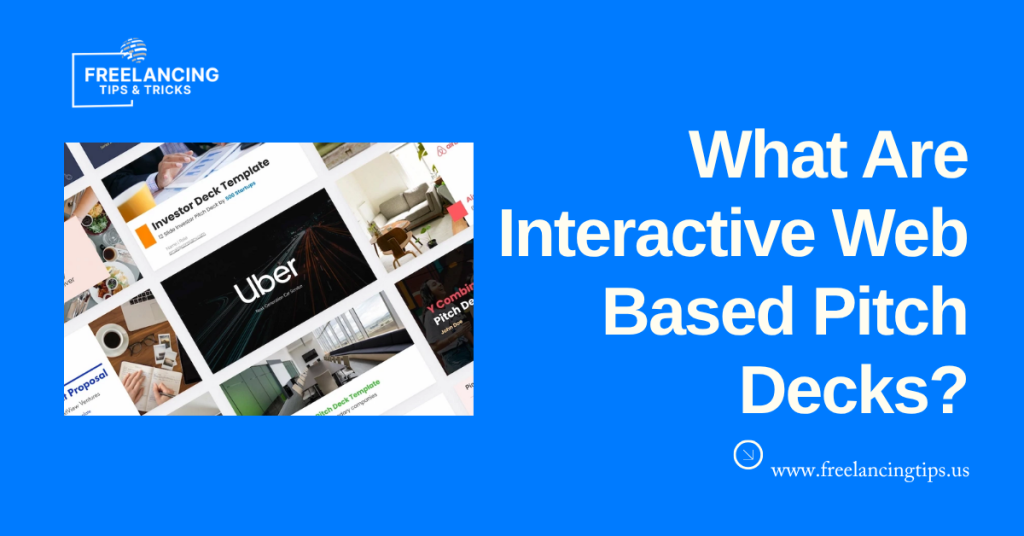
Interactive web-based pitch decks are online proposals that clients can view via a secure web link rather than download a static PDF. Built with platforms such as DocSend and Proposify, these proposals combine text, images, videos, pricing tables, testimonials, and electronic signatures into a single interactive experience.
Unlike traditional PDF proposals, web-based pitch decks provide real-time engagement insights. You can see when a client opens the proposal, how much time they spend on each section, and whether they return to review it later. These analytics help freelancers and agencies understand client interest, identify decision-making patterns, and follow up at the right time, rather than relying on guesswork.
Another advantage is flexibility. If you need to correct a typo, update pricing, or add new information before the proposal is accepted, many platforms allow you to update the content without sending a new file. Combined with features like password protection, access controls, branded templates, and built-in e-signatures, interactive pitch decks offer a more professional and efficient way to present freelance services and close client deals.
How Proposal Tracking Analytics Improve Client Conversions
The biggest difference between these two systems comes down to what you can see behind the scenes. Traditional attachments leave you completely in the dark, making it incredibly difficult to plan your follow-up notes. Live web links give you a clear window into how your prospect interacts with your ideas.
When a client opens a link, your dashboard records their viewing history. You can see when they opened the link, how many minutes they spent on each page, and whether they forwarded the proposal to their partners. If you notice a prospect spent a lot of time on one page but skipped another, you know what to emphasize during your chat.
This data allows you to time your check-in messages perfectly. Instead of guessing when to follow up, you can wait until your app alerts you that the client is looking at your proposal right that second. Reaching out while your business solutions are fresh in their mind can drastically increase your conversion rates.
How to Switch from PDFs to Interactive Proposals
Moving your client proposal process from old-school files to live web decks is straightforward. You can use these five steps to update your workflow cleanly without losing your unique brand style.
- Clean up your current document text. Go through your existing proposal documents and copy your core text, project descriptions, and terms into a plain text file. Separating your reusable company bio sections from your custom project details will save you hours of setup time later.
- Select a platform that matches your business model. Take a look at your pricing style. If you want clients to choose between different service tiers and sign contracts directly on the web page, Proposify is an excellent fit. If you prefer building standard slides but want deep page-by-page viewing stats, DocSend is the better tool.
- Build your custom visual theme. Upload the logo you use for your business, choose the colors you want to use, and pick the fonts you like in your new software account. Save all of these things together so you do not have to start over every time you get a client.
- Add interactive blocks to your layout. Remove pictures that do nothing and add interactive elements. You can add a video explaining what you plan to do, or add a place for people to sign at the bottom of your terms page, so they do not have to print anything.
- Run a test view on different devices. Send the proposal to your own phone and tablet to see how it looks before you send it to a client. Make sure your prices look good on smaller screens and that the places where people can sign their names work quickly and have no problems.
Proposal Performance Benchmarks for Freelancers
Reviewing standard business analytics can give you a clear target for your own sales process. Industry data shows that proposals sent via interactive web links get signed twenty to thirty percent faster than traditional email attachments. This happens because removing the step of printing, signing, and scanning a document speeds up client approvals.
People who make decisions in companies usually review a project proposal for less than 3 minutes. If you include a link to a video explaining your project, they will stay on the page for up to 6 minutes. Proposals with package options are better than those with a single price.
Choosing the Right Proposal Format for Your Freelance Business
Different independent businesses need different document tools to show off their expertise. These three profiles show how various professionals pick the right format for their specific goals.
For Software Developers
When your work involves complex programming, code reviews, and data security, your proposals are naturally long and highly detailed. Your pitches might include complex network diagrams, lengthy lists of software requirements, and in-depth legal compliance sections. For this type of consulting, standard text-based files remain incredibly useful. Corporate technology directors prefer to download a physical file to store securely on their company’s internal servers.
For Brand and Graphic Designers
When you sell visual designs, logos, or marketing campaigns, your proposal needs to look as gorgeous as your creative work. Sending a plain text attachment contradicts your promise of high-end visual production. Interactive web decks allow you to demonstrate your design skills right away. You can include animated portfolio galleries, high-definition video walkthroughs, and responsive image layouts that immediately demonstrate your artistic value.
For Copywriters and Content Marketers
When you write a lot of things like blog posts and emails, you need to send out many quotes every month. Making a document from scratch every time takes too much time, and you cannot charge the client for it. If you use a website that helps you make documents, you can make one in seconds and send it to the client. This way, you do not have to spend a lot of time on things that you cannot charge the client for.
Cost Analysis and Software Investment
Adding new software tools to your independent business introduces a recurring monthly expense. It is helpful to look at the financial trade-offs before changing your systems.
Traditional text-based proposals cost nothing but your time to produce. You can write your ideas inside free web programs like Google Docs or standard desktop applications, then save them as a PDF without spending any money. This makes static documents the absolute best path for brand-new freelancers who need to keep their monthly business expenses as close to zero as possible.
Paid proposal platforms operate on a per-user-seat monthly subscription model. Basic document-tracking systems generally start at $15–$25 per month. Full-scale proposal design systems that include interactive pricing calculators and digital contract signatures cost between $40 and $90 per month. To make this investment logical, your business should send out at least two or three major pitches every month.
Security, Permissions, and Client Data Protection
Keeping your proprietary project strategies, unique methodologies, and custom service rates safe requires careful link management.
- Apply password access to confidential strategies. When you send original ideas via a web link, always enable password protection to prevent your proposal from being forwarded to your direct market competitors.
- Set clear expiration dates on your shared links. Give your prospects a firm timeline for your availability by configuring your tracking links to automatically turn off after 2 weeks or 30 days.
- Collect email addresses before allowing users to view your file. Enabling email verification in your software settings lets you see exactly which managers in your client’s office are reading your pitch.
- Explore the business guides on freelancing tips to learn how to organize your client management systems, protect your creative work, and build predictable daily workflows.
Troubleshooting Interactive Proposal Issues
Problem: Your client says they cannot open the interactive proposal link you shared.
Cause: This usually happens because their company’s internal IT firewall blocks access to unfamiliar external domains to protect its corporate network from online threats.
Fix: To fix this quickly, export a clean PDF copy of the proposal from your platform dashboard and send it as a regular email attachment so you do not stall the sales conversation.
Problem: The portfolio videos in your online pitch deck are loading too slowly for readers.
Cause: You likely uploaded an unoptimized, massive video file directly to the platform, which slows down your client’s web browser page.
Fix: Host your videos on fast, professional platforms like Vimeo or YouTube, then use their responsive embed codes to insert them into your proposal pages.
Problem: Your app dashboard shows that a client opened your link, but you see zero reading data.
Cause: The prospect is probably using a highly secure web browser or an ad-blocking extension that prevents tracking cookies from being set.
Fix: Do not worry or bring up the tracking glitch to your client. Simply send your standard, polite follow-up message a few days later exactly as you normally would.
Problem: A client accidentally selected the wrong service tier inside your online budget table.
Cause: Your pricing table rules might be too loose, or the layout choice options are confusing for the user to navigate.
Fix: Open your account dashboard, switch the document status back to edit mode, manually adjust their tier selection, and refresh the link so they can sign the correct version.
Problem: Your proposal formatting appears weird or broken on an older corporate computer.
Cause: Some older versions of enterprise web browsers struggle to process modern online design layouts and interactive web scripts.
Fix: Prevent this design breakdown by keeping your web template layouts simple, sticking to standard web-safe fonts, and avoiding heavy background animations.
Conclusion
Upgrading how you deliver your project pitches can take the stress out of your client onboarding process. Traditional text attachments remain incredibly reliable for enterprise bids that require permanent, unchanged documentation. However, modern interactive platforms provide the deep data insights and beautiful mobile layouts that independent service providers need to stay competitive. Digital contract signatures inside web decks are a part of this.
Take a look at your sales pipeline for this week and see where things usually start to slow down with your clients. Pick a platform to test, rebuild your core service layout online, and send out a trackable link to your very next prospect. Taking this administrative step will eliminate your inbox anxiety, protect your unbillable hours, and give you the clear data you need to grow your independent career with complete confidence through digital contract signatures and inside web decks.
Frequently Asked Questions About Proposal Formats
Can I convert my web-based pitch decks back into a normal PDF?
Yes, almost all systems that help you create proposals online have a button to download your pages as a PDF. When you download the file, it will retain your text and appearance, but any embedded videos or calendars will be replaced with pictures.
Will using online tracking links make my small business look pushy?
No, using modern web links makes your independent business look organized and up to date. Most modern companies prefer clicking a clean browser link over downloading huge file attachments that take up space in their email application folders.
Are digital contract signatures inside web decks legally binding?
Yes, the big platforms that help you make proposals use signature tools that comply with laws governing online transactions. They create certificates that record the person’s computer address and the exact time they signed, which makes the digital signatures valid for regular business agreements.
How long should my online proposal deck be to hold a client’s interest?
Aim to keep your interactive proposal layout short and sweet, targeting between five and ten digital sections. Because business owners read quickly, using concise headings, short text blocks, and visual media will keep your message readable on both desktop monitors and phones.
Can I change my project pricing after a client has opened the proposal link?
Yes, one of the greatest benefits of web decks is live editing. If you catch a pricing mistake after sending the link, you can fix the numbers inside your software dashboard instantly, and the client will see the corrected details the next time they open the page.
Is my client’s personal email information secure inside these tracking apps?
Yes, reputable proposal platforms use encryption and comply with regional data privacy rules to protect user information. You can check your software provider’s security compliance page to ensure their data systems meet the privacy standards your clients require for contract signatures inside web decks.
Latest Posts:
